

Your offline library,finally built for iPhone.
Your music stays on your iPhone — organized in folders, playlists, and tags, with CarPlay and background playback. No cloud music library. No account required.


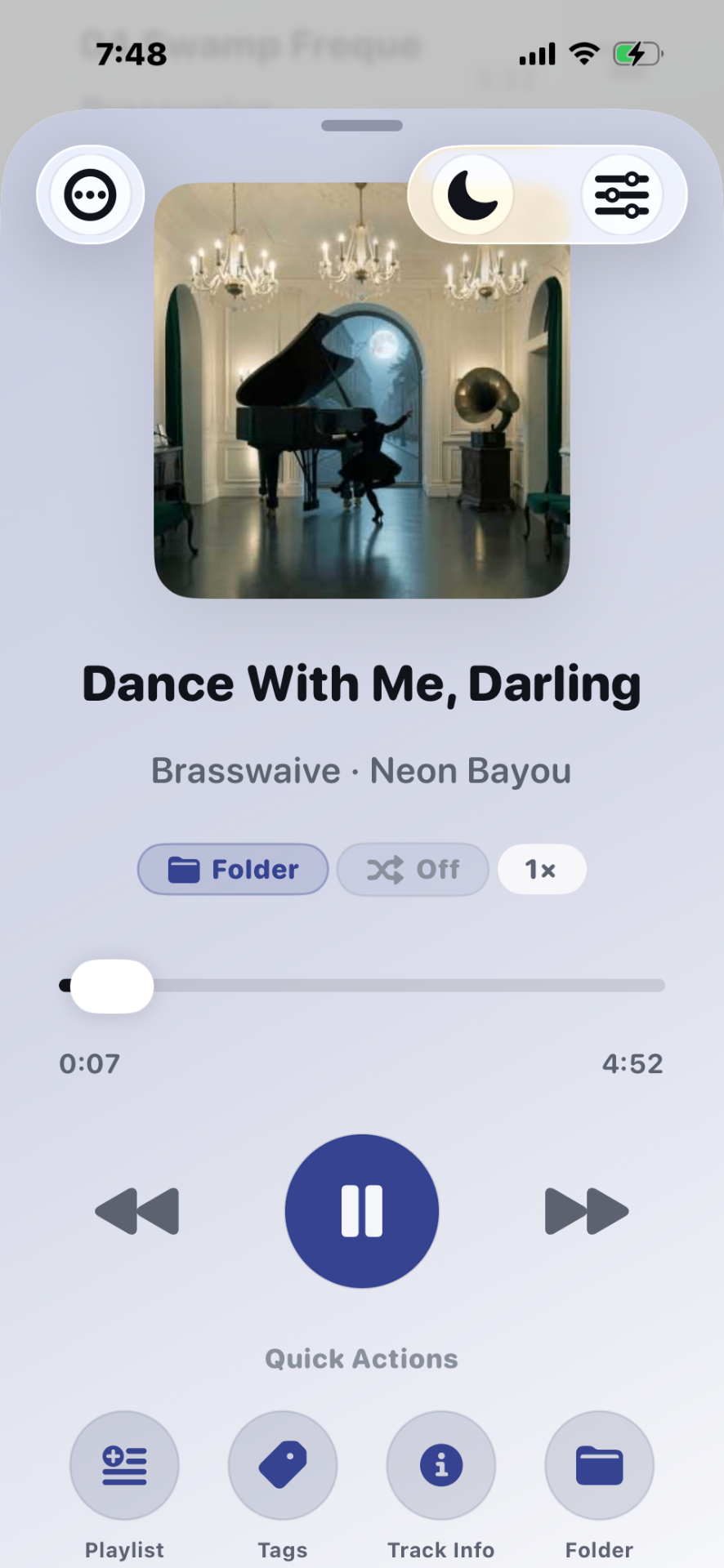
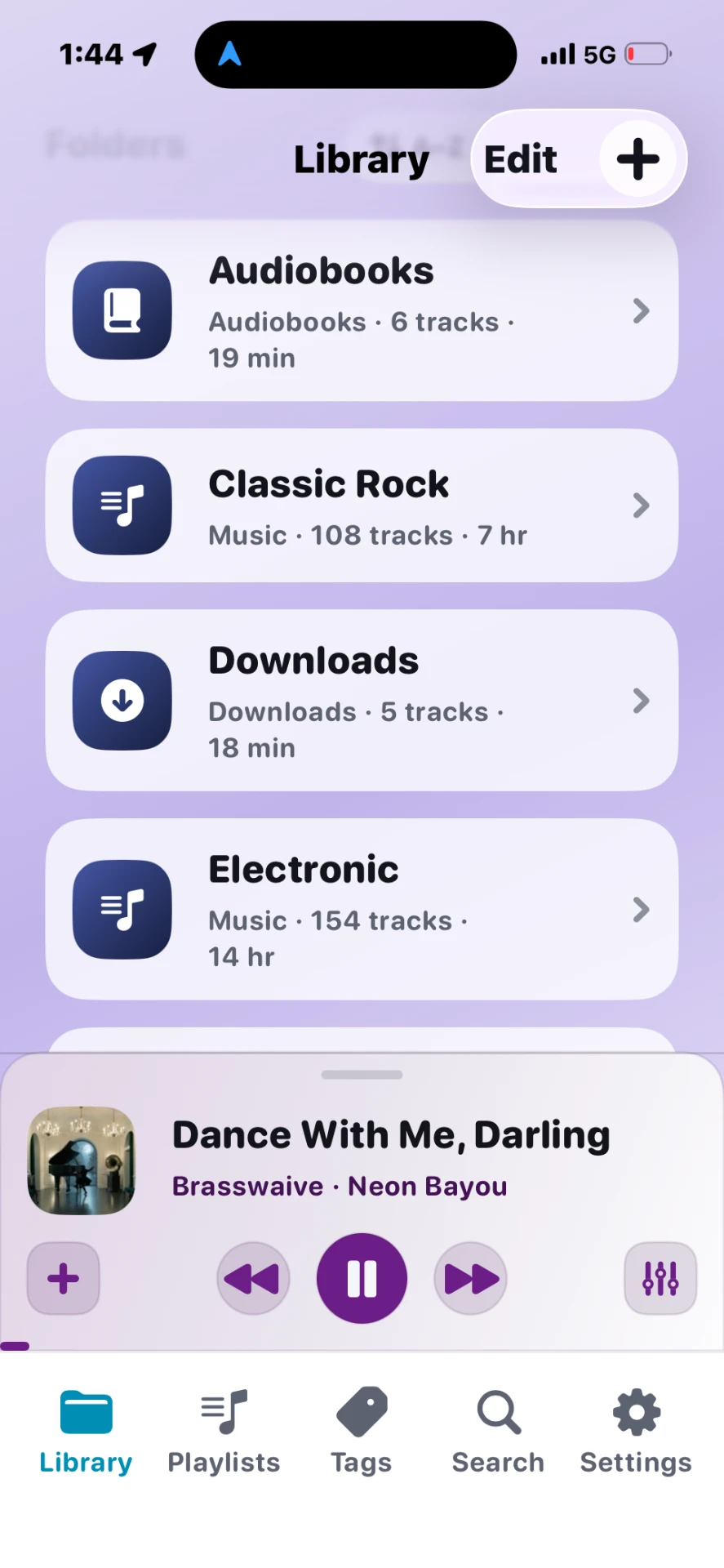
Calm, focused, and made for your library.
Every surface in Stow is designed around one thing: your files, playing beautifully.
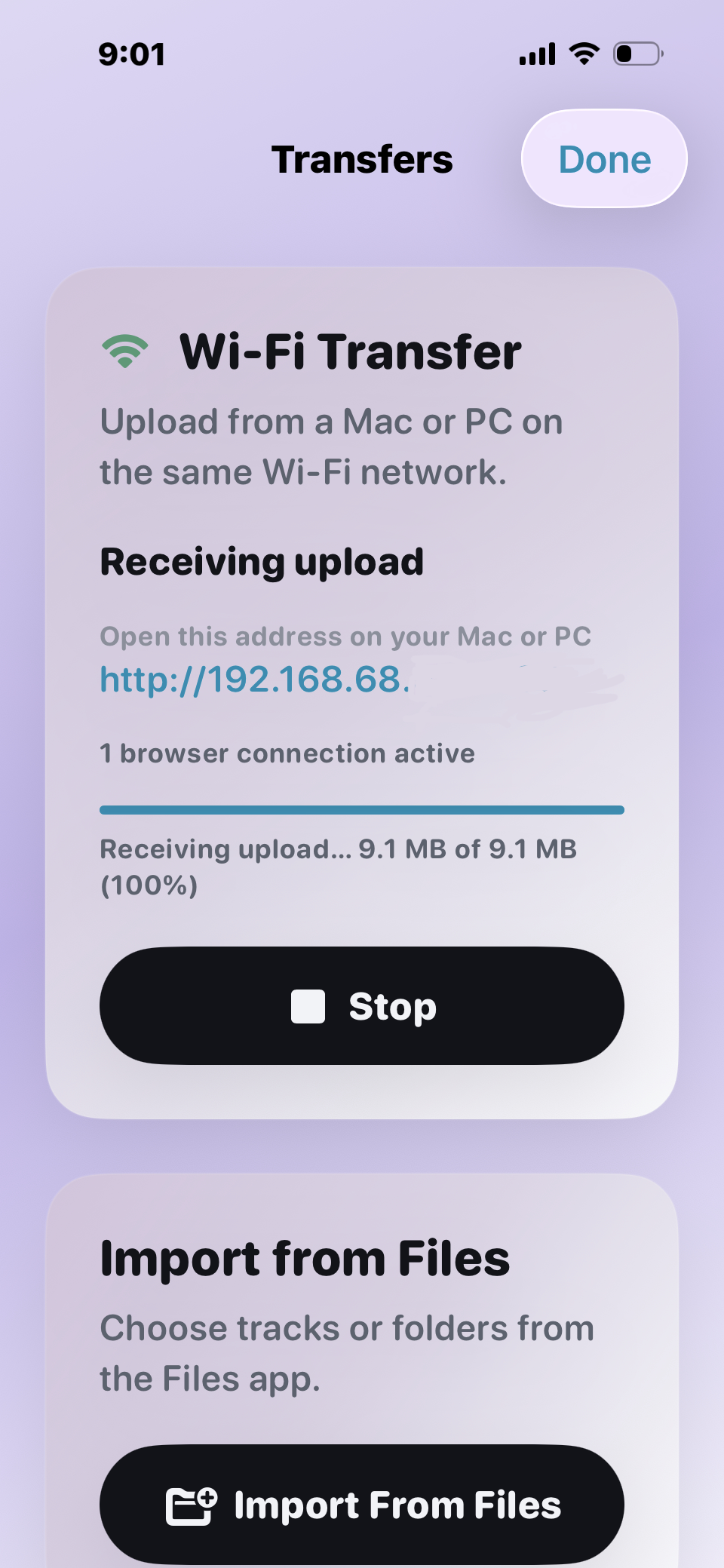
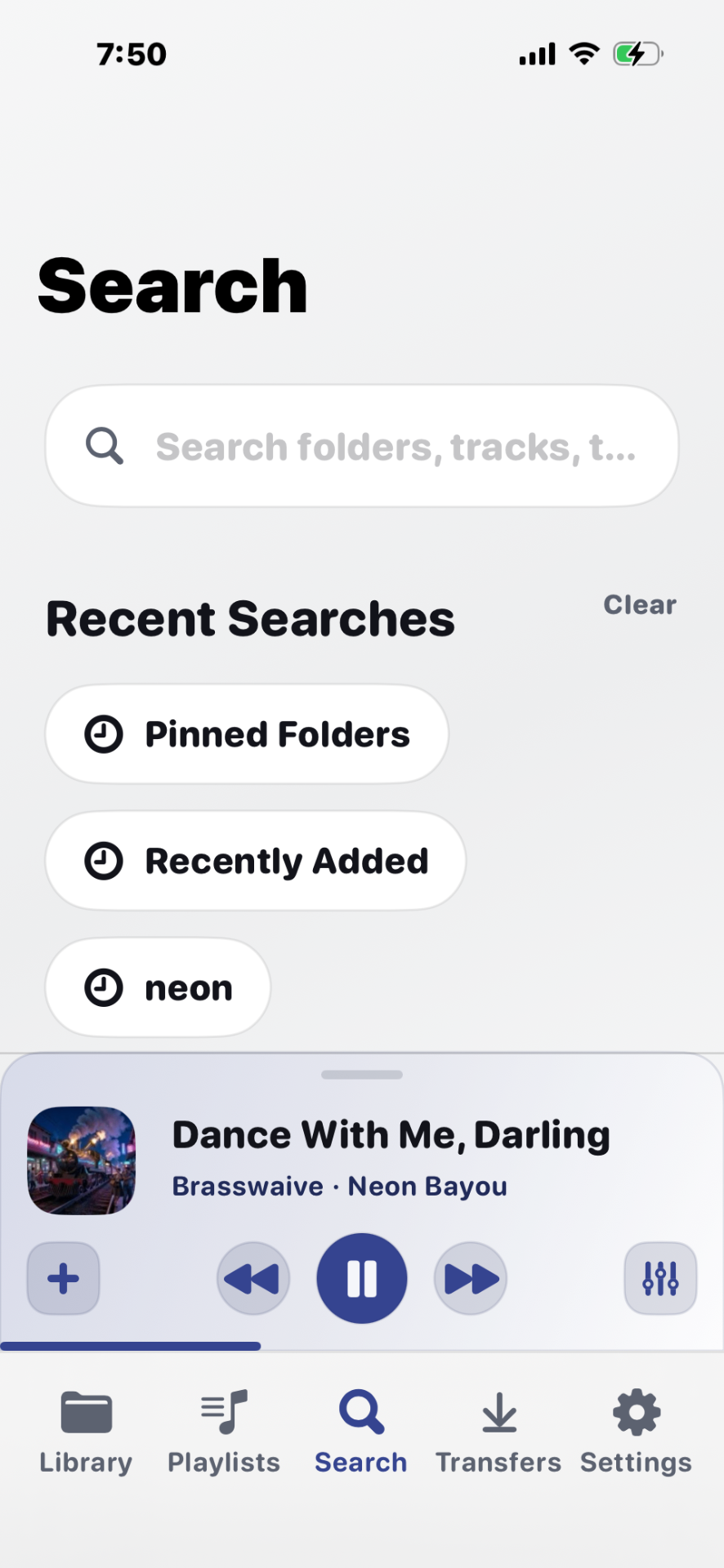
Upload from your browser.
No cable. No cloud.
Open Stow on your iPhone, open the address on your Mac or PC, and drag files right in. Assign a destination folder per file. Drag entire folders from Windows Explorer. Everything stays on your local network.
Tip: drop a cover.jpg inside a folder to set its artwork.
Four things, done exceptionally well.
Import, organize, listen, personalize. Everything else is out of the way.
Bring your library into Stow—your way.
Move your music, audiobooks, podcasts, long recordings, and even listen to the audio from compatible MP4 video files. Whether you're transferring a few songs or an entire collection, Stow makes importing simple.
Learn ImportingDrag and drop files or folders from any Mac or PC using your web browser while both are on the same Wi-Fi network. No cables. No extra software.
Learn moreImport directly from the Apple Files app, including files stored on your device, iCloud Drive, or storage providers connected through Files.
Learn moreHave recordings, DJ sets, lectures, or podcasts stored as MP4 videos? Stow can play the audio from compatible MP4 files without requiring conversion.
Learn moreStructure the way you already think.
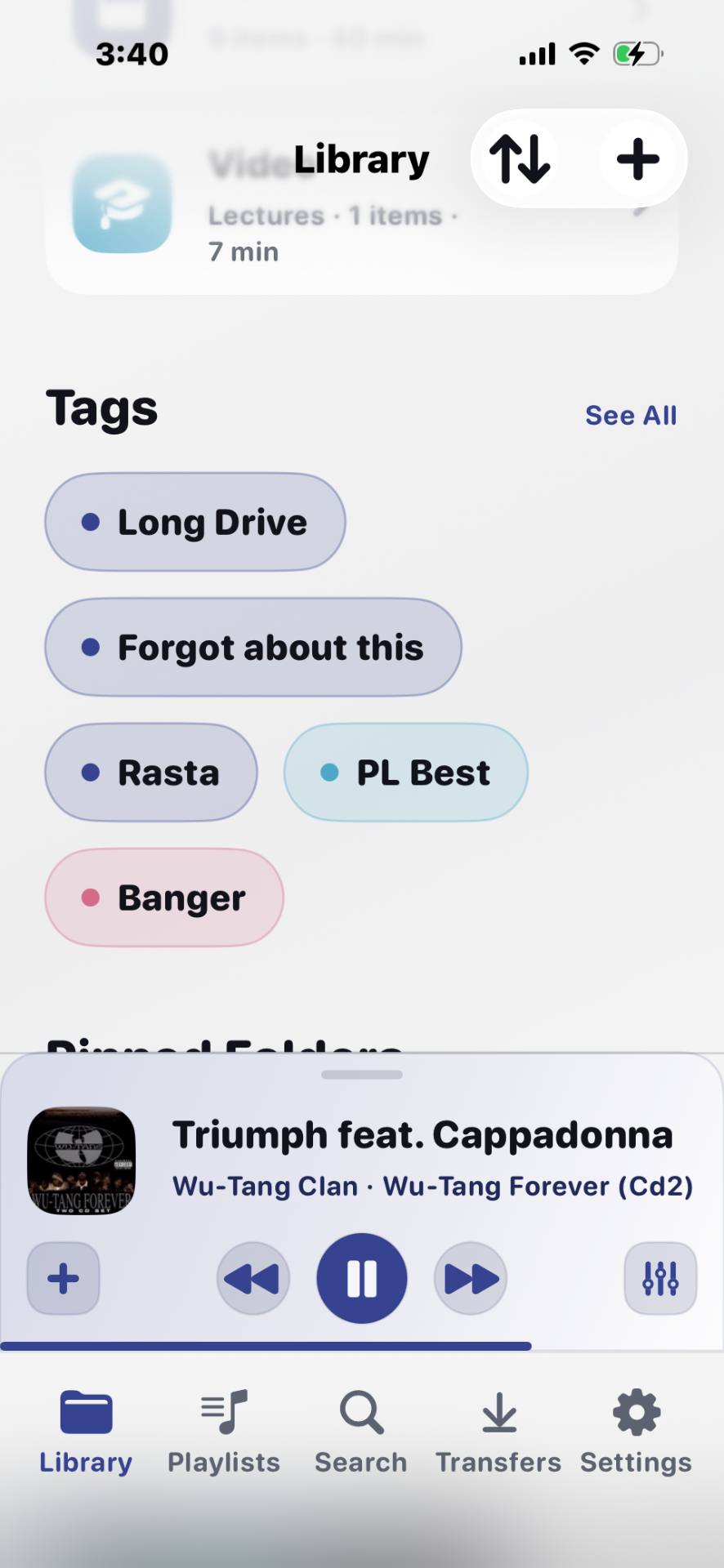
Keep your folders. Layer in playlists, tags, and search that actually reach every corner of your library.
Learn OrganizationPick up where you left off from the Library home or save your most recently played as a new playlist.
Playback that just gets out of the way.
The essentials done right — background playback, CarPlay, resume, speed, and a proper sleep timer.
Learn PlaybackYour full library on the road, with native templates.
Say “play [playlist, folder, artist, or track] in Stow.” Play, pause, and skip hands-free.
Make it feel like yours.
Sound and appearance settings that shape Stow to your taste. A few of these are part of Stow Pro, the optional upgrade inside the app.
Learn PersonalizationVariety that actually feels random. Included free.
Home Screen and Lock Screen widgets keep what you're playing one glance away. Included free.
Presets plus custom tuning across ten bands.
Set your own fade between tracks.
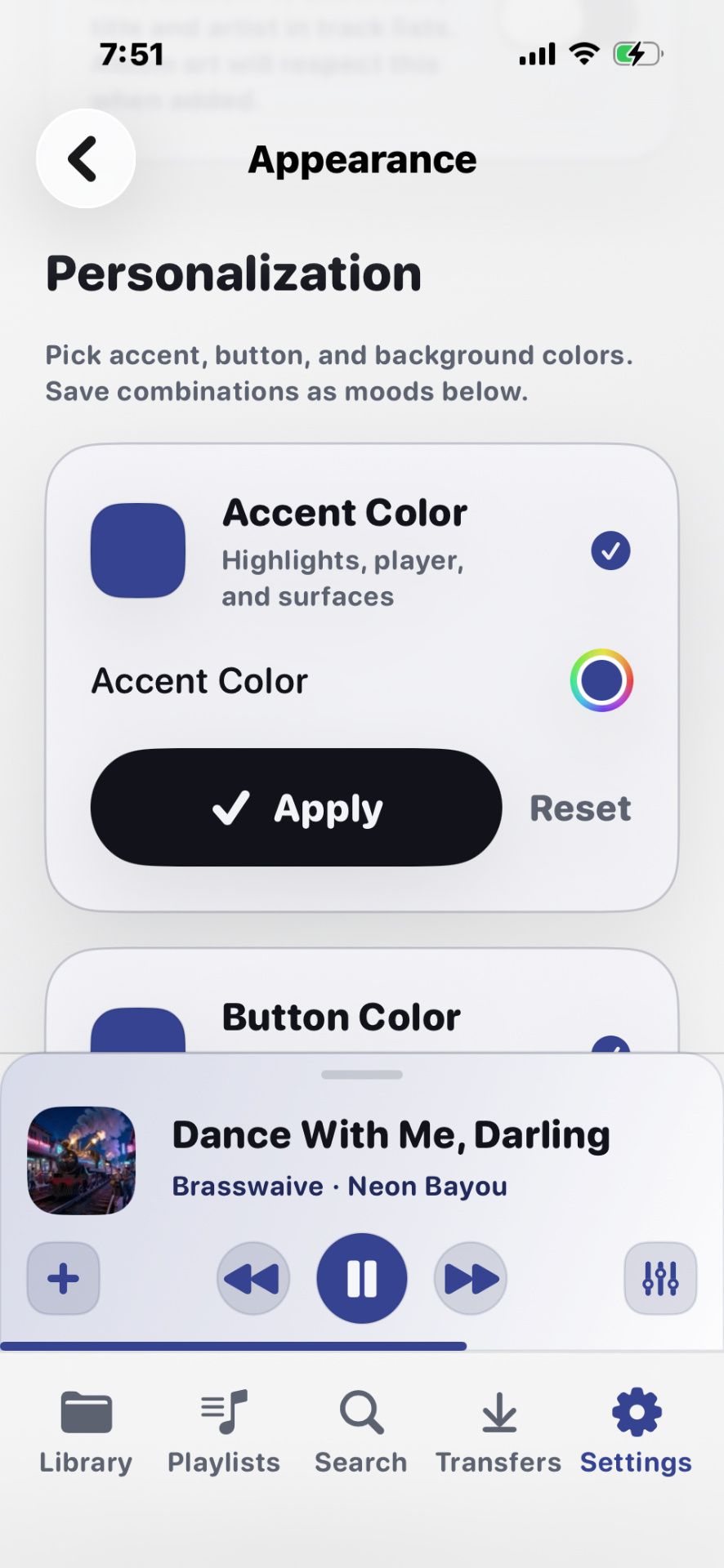
Save accent color combinations and link them to tags for instant vibe changes.
Learn moreBuilt for everyday listening.
Playback is where Stow spends the most polish. Small moments — resuming, queueing, switching between phone and car — feel like the app is quietly working for you.
- Continue where you left off — every session.
- Build queues effortlessly with Play Next and Add to Queue.
- Ask Siri to play a playlist, folder, artist, or track — in Stow.
- Glance at Home Screen and Lock Screen widgets for what's playing.
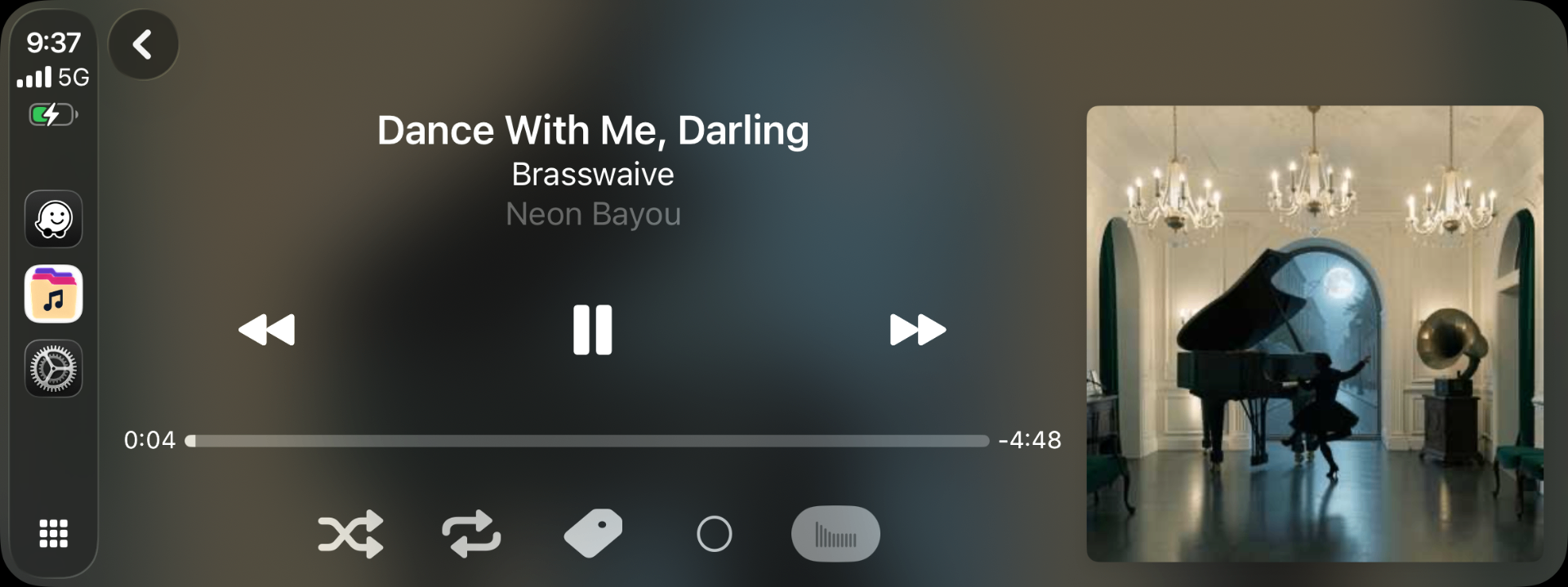
- Listen in the car with CarPlay, using the same library and queue.
- Fall asleep with a proper Sleep Timer — end of track or on a clock.
- Enjoy uninterrupted playback that never stops for a Wi-Fi hiccup.
Every cover, in its place.
Stow keeps your library visually consistent — the way a real collection should look.
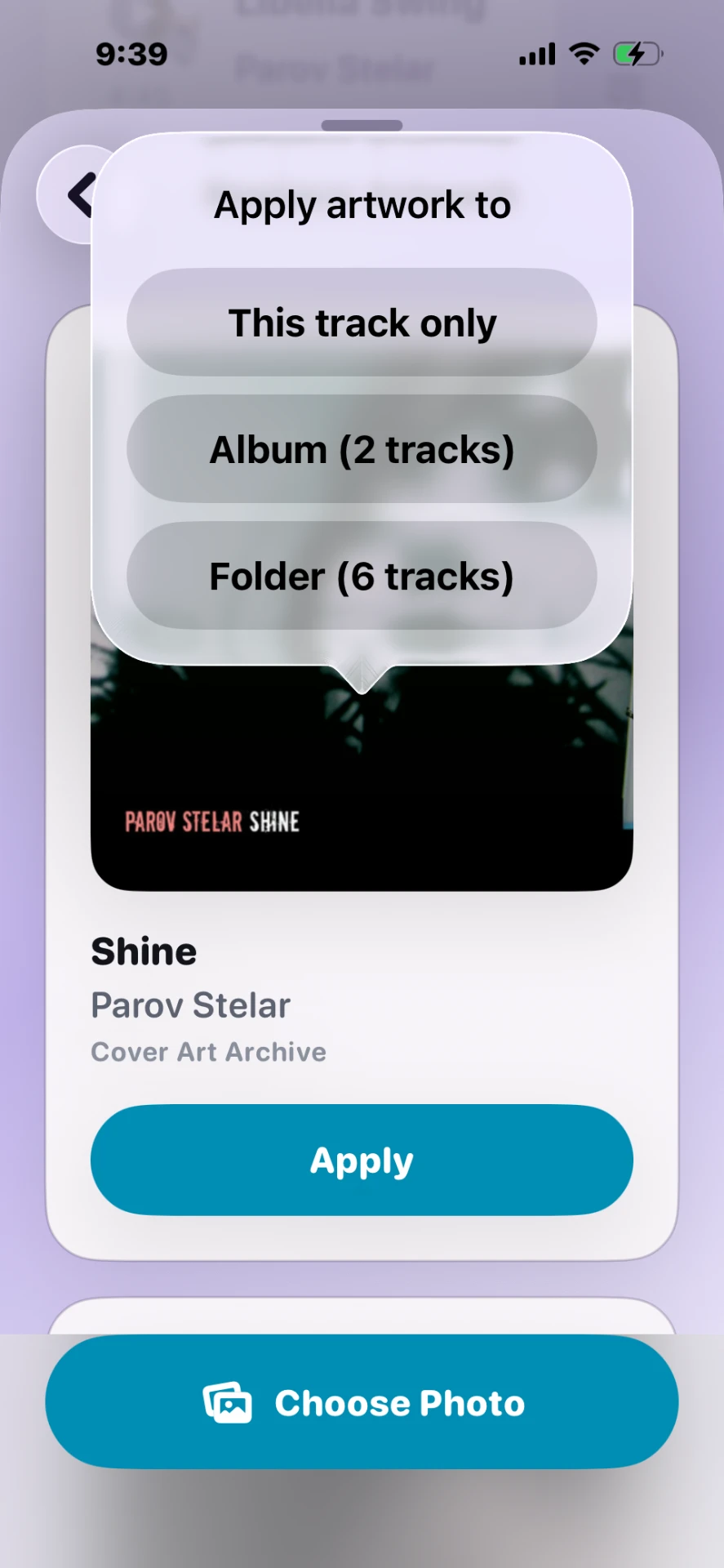
Cover art pulled straight from your files.
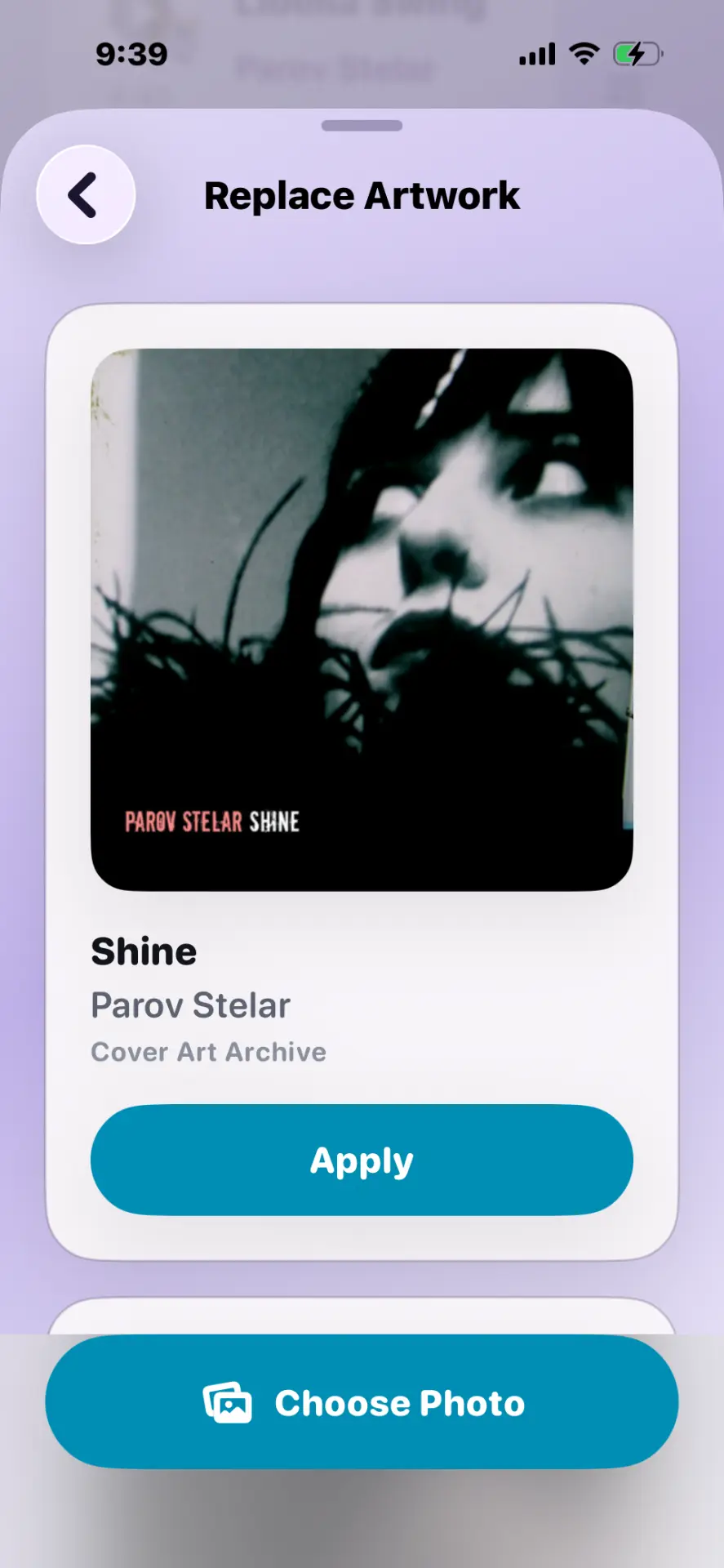
Optional lookup via public metadata services. Your audio never leaves the device.
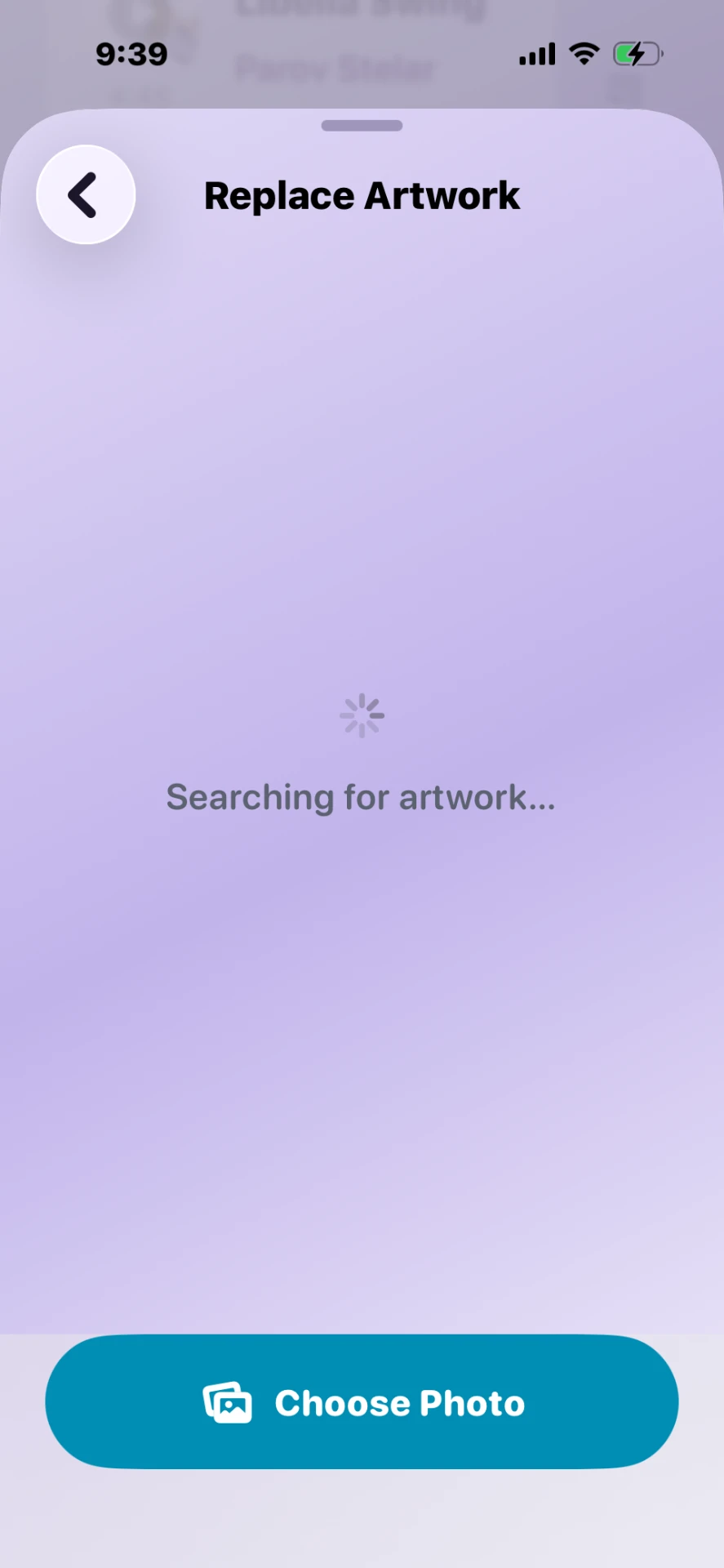
Swap in your own images per track or album.
Fill in missing covers across your library in one pass.
Your library
comes with you.
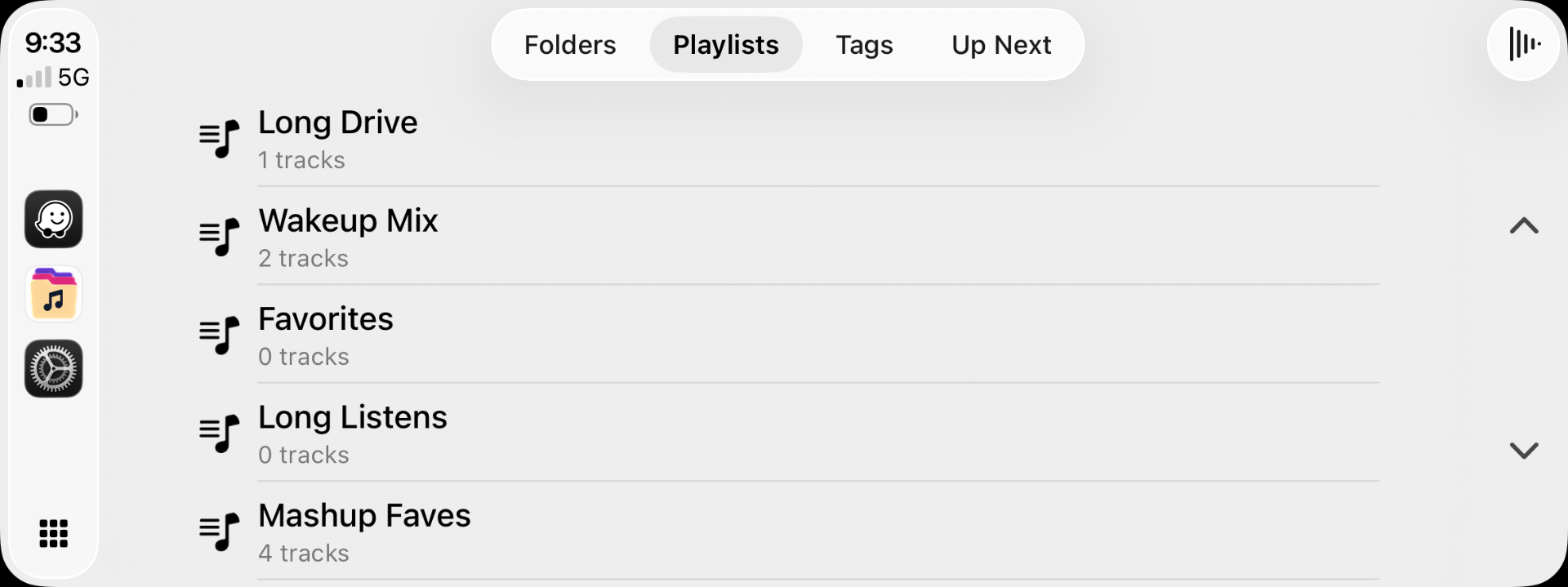
Browse your library by folders, playlists, tags, or search using Apple's familiar CarPlay interface.
Learn about CarPlay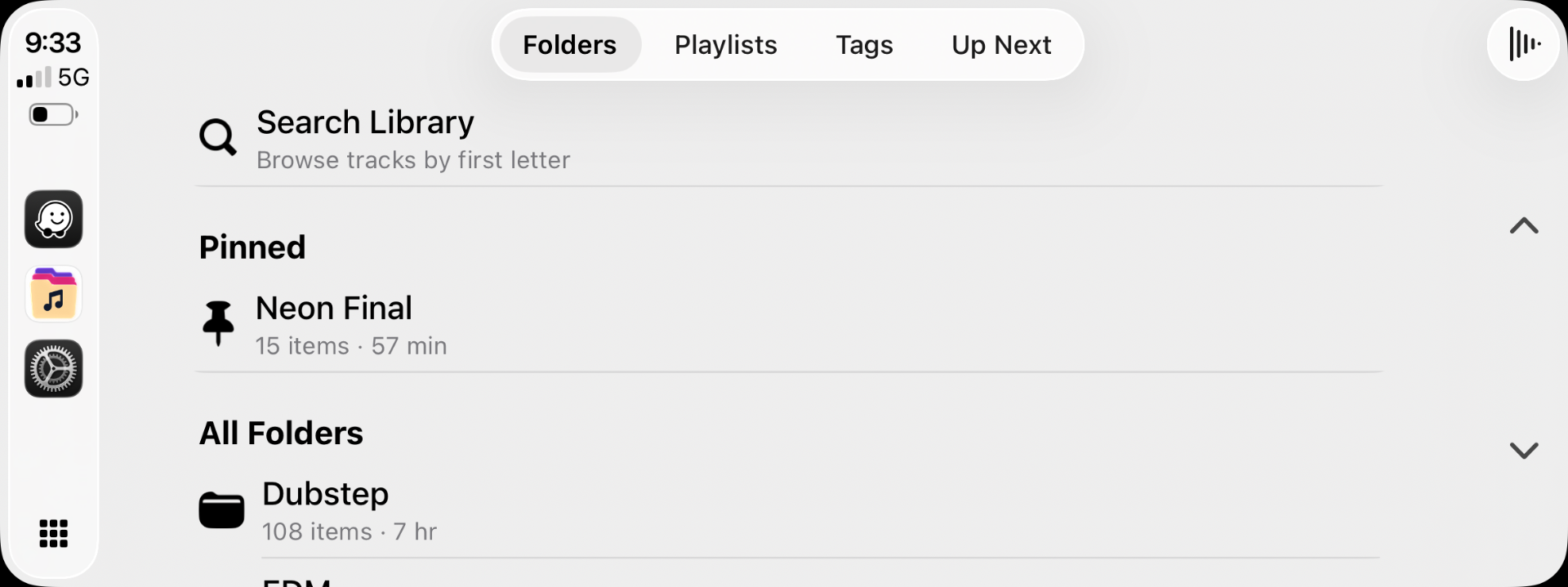
Customize your look.
Choose a mode, pick an accent, and save moods that follow the music.
Follows the system or lock it in your favorite.
Tint the whole app with the color you love most.
Save your favorite color combinations and link them to tags so the look changes with the vibe.
A quick tour of the app.
Six screens. One promise: your library, your way.
A playback screen you actually want open.
Big art, calm controls, and quick access to speed, sleep timer, and queue — without ever burying the basics.
Learn the QueueUpload from your browser, folder by folder.
Open the address on your Mac or PC, drag files in, and assign a destination per file. No cables. No cloud.
Learn Wi-Fi TransferStructure that survives your library growing.
Nest freely. Move things around. Stow keeps up — and every folder is playable, queueable, and searchable.
Learn FoldersFind anything, fast.
Match on title, artist, album, or folder path. Every result is playable in place.
Learn SearchMood-based organization on top of folders.
Tag tracks across your library without moving files. Combine tags with playlists for endless flexibility.
Learn TagsMake it yours — quietly.
Appearance, playback defaults, storage, accent colors, and moods. Sensible defaults; deep customization when you want it.
Learn SettingsBuilt for the collections you've spent years building.
The music, audiobooks, podcasts, recordings, and DJ mixes that don't belong to a streaming catalog — they belong to you.
- Your MP3 collection.
- Your audiobooks.
- Your podcasts.
- Your DJ mixes.
- Your recordings.
A permanent home for the media that matters to you.
No analytics SDKs. No tracking. No cloud music library.
A different kind of player.
How Stow compares to typical streaming apps.
Free to download. Pro if you want more.
The full music player is free — folders, playlists, tags, CarPlay, Siri, Wi-Fi Transfer and background playback. Stow Pro adds more control over how Stow sounds and feels.
Everything you need for your local music library.
- Import from Files & Wi-Fi Transfer from Mac or PC
- Folders, subfolders & multi-folder playback
- Playlists, Smart Playlists, tags & search
- Queue / Play Next & Smart Shuffle
- CarPlay, Siri & Widgets
- Background playback, Lock Screen & Control Center
- Listening history, sleep timer & playback speed
- Artwork tools & Light / Dark / System appearance
More control over how Stow sounds and feels.
2 weeks free for eligible new subscribers, then $9.99/year.
One-time purchase.
- 10-band Equalizer
- EQ presets & custom tuning
- Crossfade
- Accent Colors
- Saved Moods
- Tag-linked Moods
- Library Home customization
Purchased securely through Apple inside Stow. Get the free app, then choose Stow Pro whenever you like.
Were you here early? Early Stow users receive Lifetime Pro automatically as our thank-you for helping us get started.
Get Stow free for iPhone.
Bring your own music, keep it on your device, and play it your way — in the app, in CarPlay, and with Siri.
Android — Coming Soon