

Folders, playlists, and tags
Three ways to organize — pick whichever fits how you think about your music.
Introduction
Three ways to organize — each with a different job. Most people use all three.
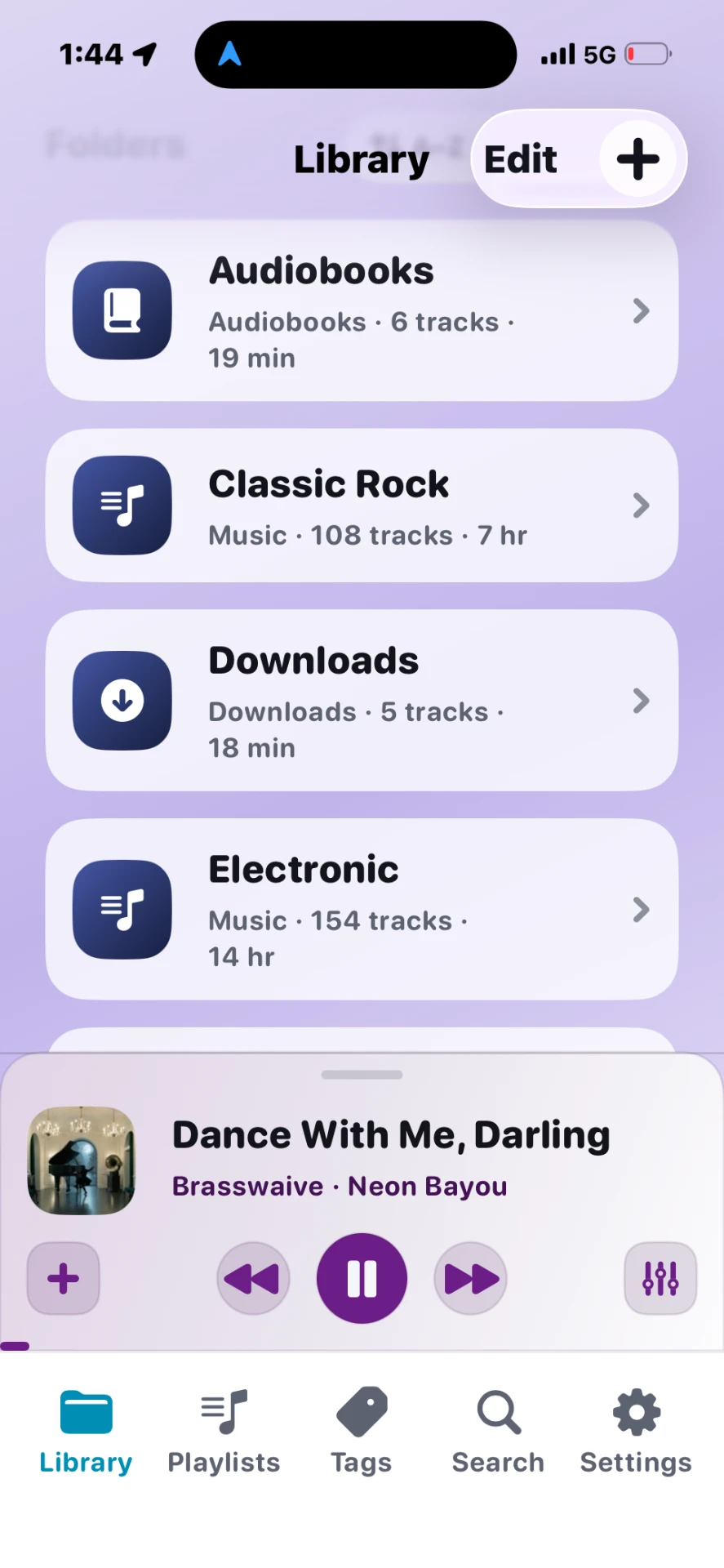
Folders
What they are: Mirrors of how files live on disk — Audiobooks/Dune, DJ/Crates/Summer, etc.
When to use: Your primary structure. Import once; browse the same way you would on a computer.
Key actions: Pin to Library home · Play or shuffle a folder · Move tracks between folders
Playlists
What they are: Manual lists you build — order matters, files stay in their folders.
When to use: Road trips, DJ sets, chapter playlists, “best of” collections.
Key actions: Create · Add/remove tracks · Reorder · Save queue as playlist
Tags
What they are: Color labels on tracks — one track can have multiple tags.
When to use: Mood, genre, decade, “needs artwork”, anything that crosses folders.
Key actions: Create tag · Assign from track actions · Browse tag auto-playlists
Quick comparison
| Folders | Playlists | Tags | |
|---|---|---|---|
| Reflects file paths | Yes | No | No |
| Custom order | Folder sort | Yes | Tag sort |
| Auto-updates | On import | Manual | Tag playlist auto-updates |
Tips
- Don't duplicate folder structure inside playlists unless you want a custom mix.
- Tag-linked moods can change accent colors when you open a tagged collection.